How to Move Your Trakt, Simkl or TMDB Library to Cineswipe
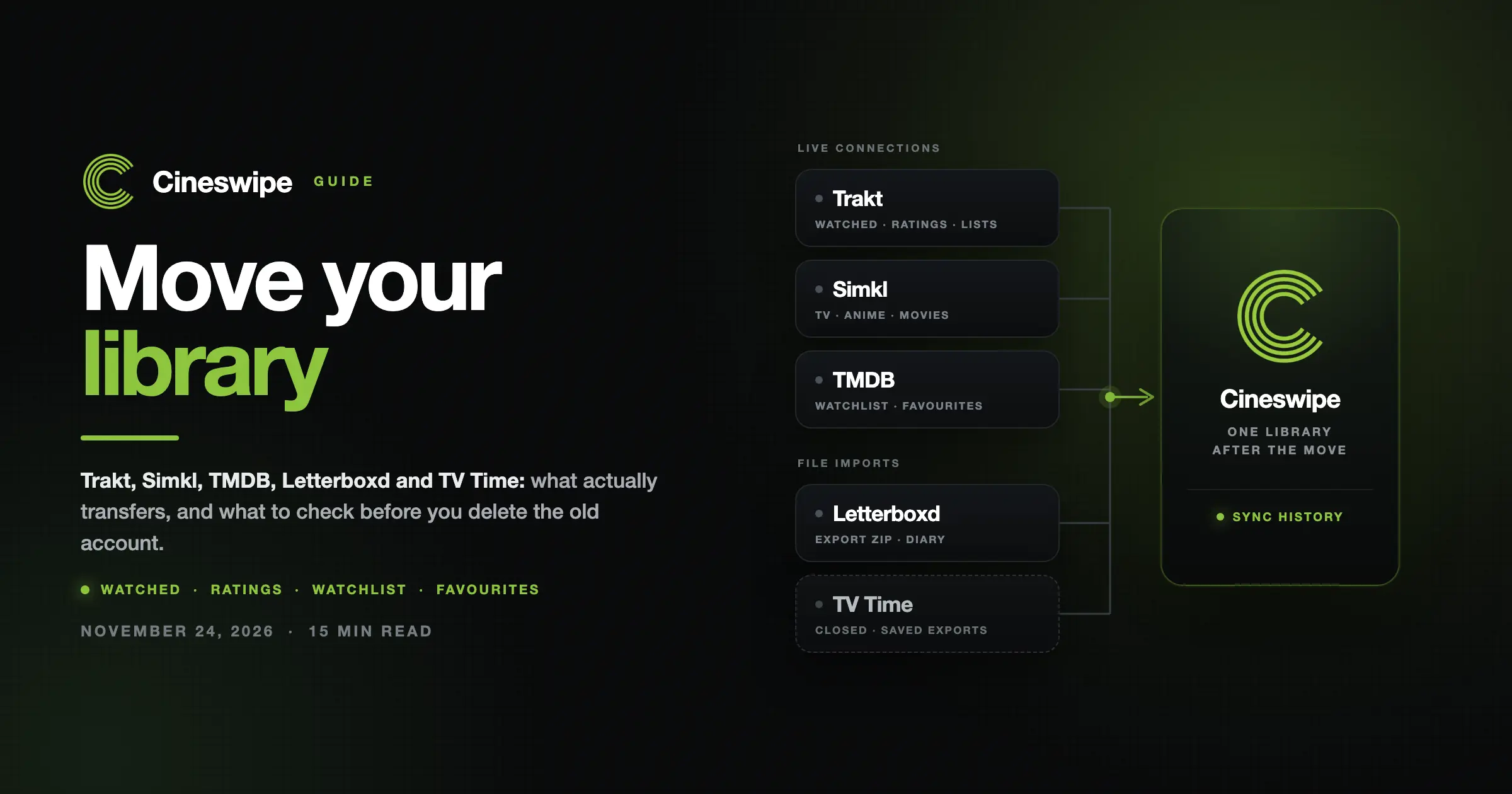
A library is the one thing a tracking app can't hand back to you. Twelve years of films in Trakt, six seasons of a show you finished in Simkl, a TMDB watchlist you built on a slow Sunday — that history is the reason switching trackers feels expensive.
So the useful question isn't whether Cineswipe looks better than Trakt. It's whether your watched films, ratings and watchlist survive the move, and what you have to do to keep them current afterwards. This guide covers the three live connections Cineswipe supports Trakt, Simkl and TMDB, and the two file-based imports, Letterboxd and TV Time, including the part most "import your history" pages skip: TV Time closed on July 15, 2026.
Every product claim below maps to a line in the Cineswipe changelog or the App Store listing. Where the notes are silent, this article says so instead of guessing. Everything was checked on November 24, 2026.
What actually moves when you connect Trakt, Simkl or TMDB?
Cineswipe connects to Trakt, Simkl and TMDB by signing in to the account you already have, then pulls the data that account holds: watched history, ratings, watchlist and lists. Trakt also brings favourites and your rated movie and TV lists, a mapping that arrived in version 1.15.0 on March 15, 2025.
Those connections are not new. Trakt and TMDB shipped together in version 1.14.1 on March 8, 2025, and Simkl followed in version 1.17.0 on March 30, 2025. What is new is the wrapper around them: version 2.6.0, released November 15, 2026, rebuilt Integrations with a page per service, a sync history, import guides and full imports for large Trakt libraries.
The three kinds of data in any tracker
Most trackers hold the same three things, and they move differently:
- What you watched. Movies marked watched, episodes watched season by season, sometimes with dates. This is the bulk of a library and the part you care about most.
- What you thought. Ratings, and for Trakt, the rated movie and TV lists themselves.
- What you want next. Watchlist, and on Trakt your favourites.
Cineswipe's changelog names all three for Trakt. For Simkl and TMDB it describes connecting your account so your existing data comes across, without itemising the fields.
| Service | Connected since | What the changelog says comes across |
|---|---|---|
| Trakt | March 8, 2025 (v1.14.1) | Watched lists, plus watchlist, favourites and rated movie and TV lists (v1.15.0) |
| Simkl | March 30, 2025 (v1.17.0) | Your Simkl data, pulled in by logging into your Simkl account |
| TMDB | March 8, 2025 (v1.14.1) | Your existing TMDB data, pulled in by connecting the account |
What doesn't come across
The changelog is specific about Trakt and vague about the rest, and that vagueness is worth reading literally. Nothing in the notes mentions reviews, comments, private notes, or custom lists beyond Trakt's rated lists.
That doesn't mean those things are lost forever — it means no release note promises them. If your Trakt account holds a decade of written reviews, download the raw export first. Trakt's own Data settings build a ZIP of JSON files, and Simkl's importer page describes the same path: open your Trakt settings, Data tab, scroll to Export, click "Export now". The CSV version of that export is a VIP feature, according to Trakt users on the official forum, while the JSON export is the one the guides point at.
Keep that ZIP. It costs you one download and it is the only copy you control.
Before you start: four checks that save an evening
Do these four things first, in this order: confirm which account holds the history, decide whether you want a one-time import or an ongoing two-way sync, note how large the library is, and update the app. Each one prevents a different kind of wasted evening.
- Confirm you can still sign in to the old service. The import runs through a login, so a forgotten Trakt password stops the move before it starts. Reset it first, on the old service, not during setup.
- Decide the direction. A one-time import brings your history across. Two-way sync keeps both libraries current, and version 2.2.1 on April 13, 2026 lists bi-directional cloud sync for Pro users, alongside per-integration import and export controls and sync logs with push notifications.
- Know the size of the library. Large Trakt libraries now import in full, per the 2.6.0 notes. TMDB imports got noticeably quicker in version 2.3.3 on July 8, 2026. If something fails, the sync UI lists the shows and movies that didn't make it once the run finishes, a behaviour added in version 1.14.2 on March 9, 2025.
- Update to 2.6.2. The newest build in the changelog is 2.6.2 (219), dated November 20, 2026. This matters for Trakt specifically, because version 2.5.4 on September 27, 2026 fixed Trakt cloud sync stopping a day after connecting. Debugging a stalled sync on a build from before that fix is a wasted evening.
That last point is the one setting people miss, so it gets its own section.
How do you move a Trakt library into Cineswipe?
Open Settings, then Integrations, then Trakt, and sign in to Trakt. Cineswipe pulls watched history, watchlist, favourites and rated lists into your library, and the sync page shows progress with an estimated time to completion. Version 2.6.0 added a page per service, a sync history and full imports for large Trakt libraries.
Here is the sequence in full.
1. Open Settings, then Integrations, then Trakt
This is the path both the changelog and the app's own reconnect instruction use. If you last opened the app before November 15, 2026, the Integrations screen is the rebuilt one: a page per service rather than a single list.
2. Sign in to Trakt
Cineswipe's Trakt integration works by connecting your account, which is how it has worked since March 2025. You are not uploading a file here, and you are not copying titles by hand.
One caveat from the other side of the fence: Simkl's Trakt import page now states that Trakt blocked Simkl's API access, so its "connect Trakt" button no longer imports anything. Simkl's workaround is the file upload, and its page notes that uploading a file "does not count against your Trakt connection limit". A live connection is a permission someone else can revoke, which is why keeping your own export is still worth the two minutes.
3. Choose what syncs, and in which direction
Version 2.2.1 introduced per-integration import and export controls, so the Trakt page is where you decide whether this is a one-time import or an ongoing relationship. Two-way sync is the Pro line item; the changelog puts no Pro label on the first import. Check the app for the current gate rather than trusting a blog post, including this one.
4. Watch the sync finish
The sync widget shows an estimated time to completion, and that estimate has been there since March 2025. Version 2.6.0 added the sync history, so a run you started last month is still visible. If you keep the integration connected, sync logs arrive as push notifications, per version 2.2.1.
5. Read the failure list
When a run finishes, Cineswipe lists the shows and movies it could not sync, and you can add those by hand. That list is the honest part of the feature: an import that silently drops forty titles is worse than one that names them. Check it before you delete anything on the Trakt side.
6. Fix a Trakt sync that stops after a day
If Trakt sync connected and then went quiet, you are looking at a bug that version 2.5.4 fixed on September 27, 2026. The changelog's instruction is exact: reconnect once from Settings, then Integrations, then Trakt. Do that after updating, not before.
How do you move a Simkl or TMDB library?
Simkl and TMDB work the same way: you sign in to the account you already use and Cineswipe pulls your data across. Both have had their own page since version 2.6.0, and TMDB imports got faster in version 2.3.3 on July 8, 2026.
Simkl
Simkl joined in version 1.17.0 on March 30, 2025, and its integration has always worked by logging into your Simkl account. One detail from that same release is worth knowing on a shared device: logging out of Cineswipe clears the saved settings and the login data of every signed-in integration, and the changelog says the reason is to prevent accidental auto-sync between different accounts.
So if two people use the same phone and only one connects Simkl, signing out is the clean separation. Signing back in means reconnecting the integration.
TMDB
TMDB shipped with Trakt in version 1.14.1. It is the odd one out of the three, in a useful way: TMDB is a database first and a tracker second. Your account there holds a watchlist, favourites and ratings as separate lists, which the TMDB account FAQ documents.
That structure explains why connecting TMDB to Cineswipe beats exporting files from it. TMDB is organised around public metadata and lists, not around a personal viewing history the way Trakt and Simkl are.
What about Letterboxd and TV Time?
Letterboxd and TV Time are file imports, not live connections. Cineswipe's import guides cover both, and the Letterboxd side starts with the export in your Letterboxd settings. TV Time is the harder case, because the service closed on July 15, 2026 and its export window closed with it.
The App Store listing states it plainly: "Import guides cover Letterboxd and TV Time." That is the current, official description of the feature.
Letterboxd
Letterboxd's own support article, updated November 9, 2026, says the export sits in Settings and bundles your entire account into a single ZIP of CSV files. It also notes that exporting only works in a desktop browser.
That ZIP is what an import guide can work with. Letterboxd is a film diary, so expect the useful parts to be your watched films, ratings and watchlist, with review text living in its own CSV. Cineswipe's guide is the place to check what its importer reads.
TV Time
This is where most 2026 migration guides are out of date. TV Time announced in July 2026 that the service would end after July 15, and TechCrunch reported the same date. TV Time's own support page said all personal account data would be deleted after that date, and tvtime.com now shows a farewell message instead of a login.
So the TV Time import guide is real, but it only helps one group: people who downloaded their GDPR export ZIP before the shutdown. If you have that file, follow the guide in Settings, then Integrations. If you don't, no importer can recover what TV Time deleted, and rebuilding your watch history by hand is the only route left.
Is Cineswipe a Trakt alternative, or a second home?
It can be either. Trakt stays connected while you use Cineswipe for discovery, and two-way sync keeps both libraries current for Pro users. Cineswipe adds swipe discovery, Cinebot, Where to watch by region and monthly Replay recaps; the sections below cover what each side is actually good at.
The two are not competing for the same job. Trakt's role is automatic scrobbling: it listens to players and apps and records what you watch without you touching anything. Cineswipe's 2.6.0 release is built around deciding what to watch, with a filtered Discover screen, a Cinebot tab and a monthly recap.
What that means in practice:
- Discovery. Cineswipe's swipe deck learns from likes and skips, and 2.6.0 put filters and streaming services in one sheet plus Where to watch by region, so a pick comes with a place to watch it.
- Asking in words. Cinebot got its own tab in 2.6.0, with suggestion cards that carry artwork and a daily question on your home screen. The App Store listing says free users get a daily taste and Pro gets far more.
- Lists you can share. Public Cinelists arrived in version 2.1.49 on February 7, 2026, so a list you build has a URL before movie night. Our guide to the ultimate movie watchlist covers how to keep one usable.
- A month in review. Replay turns a month of watching into a poster you can style, frame and save in Original quality, new in 2.6.0.

What the changelog does not describe is automatic scrobbling from streaming players. Cineswipe tracks what you mark, and the Chrome extension covers browser viewing, per the App Store listing. If you rely on Trakt recording your plays in the background, keep Trakt connected.
| Tool | Built for | Connection to Cineswipe |
|---|---|---|
| Trakt | Scrobbling across players and apps, plus lists | Live account connection since March 8, 2025; two-way sync for Pro |
| Simkl | Tracking TV, anime and movies in one place | Live account connection since March 30, 2025 |
| TMDB | Film and TV metadata, watchlist, ratings | Live account connection since March 8, 2025 |
| Letterboxd | Film diary and reviews | Export ZIP, imported via Cineswipe's guide |
| TV Time | Episode tracking and community | Closed July 15, 2026; saved exports only |
Trakt's developer documentation makes the migration question easy on the legal side. Its API use policy says helping a user import, export or migrate their own Trakt history at their request is permitted, and recommends the user's own data export for one-time moves. Your history is yours to move.
What the changelog doesn't say
Several things. The notes name watched history, watchlist, favourites and rated lists, and stay silent on reviews, private notes, custom lists, rating-scale conversion and how deletions travel in a two-way sync. Treat those as unknowns to check after your import rather than promises.
Here is the list, so you can check each one in the app rather than take a stranger's word for it:
- Rating conversion. Trakt, Simkl, TMDB and Cineswipe each keep ratings on their own scale, and no release note describes a conversion rule. Compare a handful of titles you remember scoring.
- Reviews and notes. Nothing in the changelog mentions transferring written reviews or private notes. Export them from the old service and keep them somewhere you own.
- Custom lists. Only Trakt's watchlist, favourites and rated lists are named. A hand-built "Films for a bad week" list may have to be recreated.
- Rewatches. The notes don't describe how a rewatch is recorded when history arrives from another service.
- Deletions in two-way sync. Bi-directional sync is described as a feature, not as a rulebook. If you remove a title in Cineswipe, check what happens in Trakt before you tidy a large shelf.
None of these is a reason to stay put. They are the reason to import before you delete the old account.
The bottom line
The move is smaller than it looks. Connect the service, choose whether you want a one-time import or an ongoing two-way sync, then read the failure list before you trust the totals. Your history is the asset; Cineswipe is where it goes next.
The details that decide whether the move works are unglamorous: update to 2.6.2, reconnect Trakt once if it stalls, export your old library before you delete it, and check ten ratings you remember. Do those four things and the switch takes an evening, not a weekend.
Cineswipe is free to download on iOS and Android, with Trakt, Simkl and TMDB each on their own page, a sync history, and import guides for Letterboxd and any TV Time export you saved. If you want the wider argument about what a tracker is for in 2026, the 2.6.0 release notes are the place to start, and our Netflix guide covers the other half of the problem: what to watch once the library is in.
Frequently Asked Questions
Answers to common questions related to this article
Update to 2.6.2, open Settings, then Integrations, then Trakt, and sign in to Trakt. Cineswipe pulls your watched history, watchlist, favourites and rated lists into your library, shows an estimated time to completion, and lists anything that failed when the run ends. Large Trakt libraries import in full as of 2.6.0.
Inside Cineswipe
Find your next watch, then keep it organized.
Swipe discovery
Likes and skips personalize recommendations over time.
Cinebot
Ask for a mood, genre, runtime, or movies like a favorite.
Watchlist & tracking
Track films and TV episodes, and import your watch history.
Sync & import
Import from Letterboxd, Trakt, Simkl, TV Time, and TMDB; sync with Trakt, Simkl, and TMDB.
Curate, review & share
Create public Cinelists and share polished review posters with your take.
Share this article: