Cineswipe 2.6.0: Replay, the New Cinebot Tab and a Full Redesign
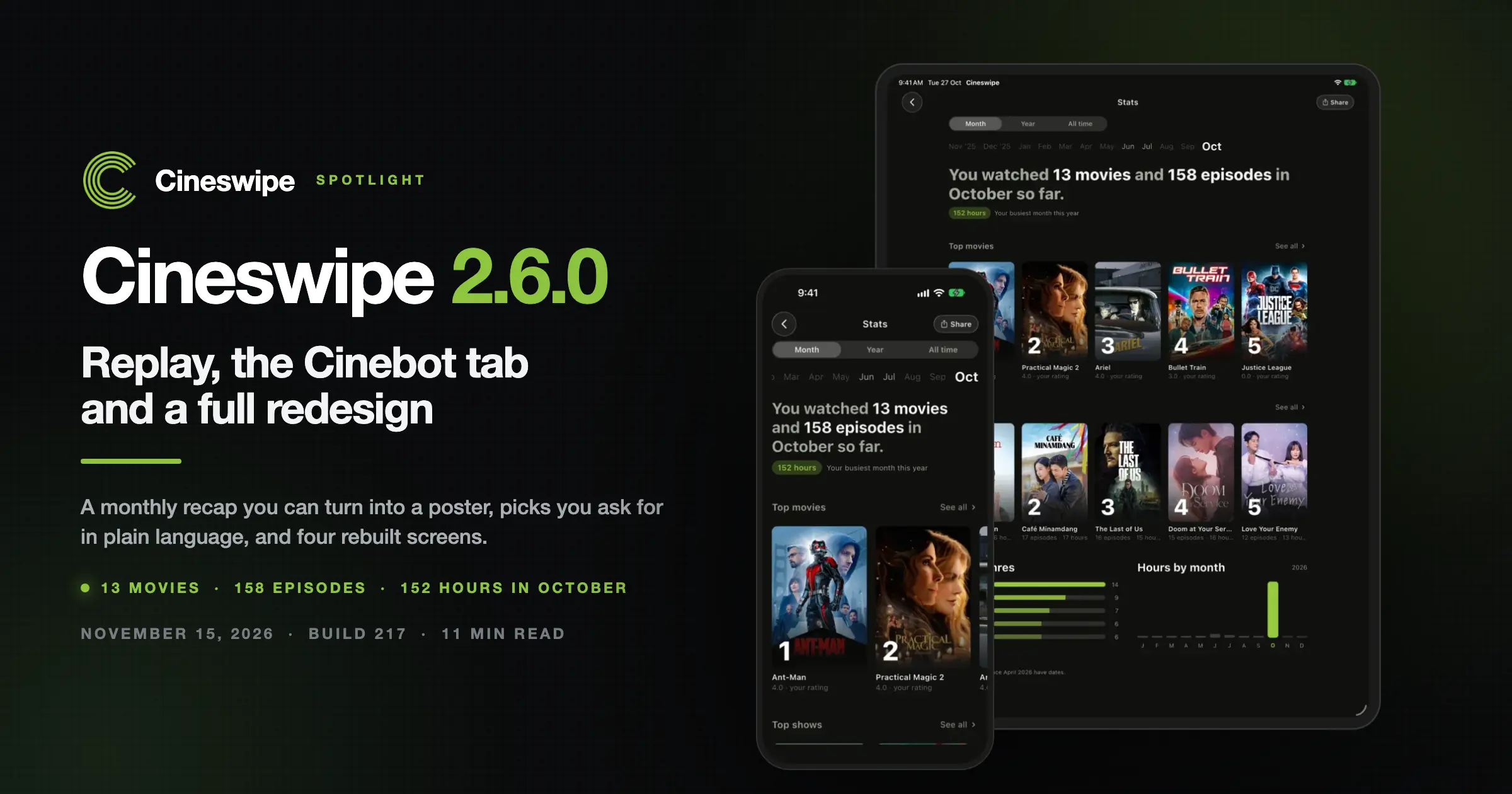
Cineswipe 2.6.0 reached the App Store and Google Play on November 15, 2026, and the release notes describe it as a redesign from top to bottom. Four screens were rebuilt, Cinebot got a tab of its own, and Replay turned a month of watching into a poster you can share.
The build number is 217, and two updates have followed since, one on November 17 and one on November 20. This post covers what Cineswipe 2.6.0 actually contains, what the store screenshots show, and what the follow-up builds fixed.
Everything below comes from the public changelog at cineswipe.app/changelog and from the screenshots on the store listings. There are no roadmap items here and no guesses about what ships next.
What shipped in Cineswipe 2.6.0?
Cineswipe 2.6.0 shipped on November 15, 2026 as build 217 and lists nine changes: new Watchlist, Discover, Details and Profile screens, a Cinebot tab, home screen widgets, Replay monthly recaps, 3D badges, rebuilt Trakt, Simkl and TMDB integrations, combined filters and streaming services, four languages, and undo.
Here are the three builds that have shipped in the last five days, with the version numbers the app reports in Settings.
| Version | Date | Headline |
|---|---|---|
| 2.6.0 (build 217) | November 15, 2026 | Four screens rebuilt, Cinebot tab, widgets, Replay, 3D badges, rebuilt integrations, combined filters, four languages, undo |
| 2.6.1 (build 218) | November 17, 2026 | New seasons and episodes appear as they air; offline pages finish loading on reconnect |
| 2.6.2 (build 219) | November 20, 2026 | Watch later cleanup, keyboard fix in rating sheets, Lister badge count, sign-in message |
Nine items in a single build is more than anyone can absorb from a changelog at once, so this post takes the three that change how the app feels before turning to the smaller ones you notice later.
Replay: what does the monthly recap include?
Replay is the monthly recap in Cineswipe 2.6.0, and the notes give it three parts: a recap of what you watched in the month, share posters you can style and frame, and an export saved in Original quality. The month view counts movies, episodes and hours watched.

That screenshot is the month view from the Android build, and it counts 13 movies and 158 episodes watched in October, 152 hours in total, then Top movies and Top shows. Share sits in the corner beside the Month, Year and All time tabs, which is where a month of viewing turns into a poster.
What can you change in a Replay poster?
The notes name two controls, styling and framing, plus one output setting called Original quality. Styling and framing decide how the poster looks, while Original quality decides what the saved file keeps, which matters if you post the image somewhere else and do not want a compressed thumbnail.
Poster themes are not new to the app, because the December 20, 2025 revamp of the sharing poster interface added them. The December 31, 2025 build then added the option to use a show or movie logo instead of text, and Replay applies that existing pipeline to a month of viewing.
Where do the Replay numbers come from?
Cineswipe Replay counts the movies and episodes you marked as watched and turns those totals into a poster you can style and save. The November 20 build adds one visible consequence, because watched movies now leave Watch later in your Library and Watchlist, so a film you have finished stops sitting in the queue for later.
The Cinebot tab: picks, cards and a daily question
Cinebot has its own tab in Cineswipe 2.6.0, so you ask for a pick in plain language and get suggestion cards with artwork, plus a daily question on your home screen. Cinebot first shipped on June 1, 2025 as an AI agent that handles discovery and library actions.

That screenshot is the whole feature in one exchange, because the request reads "Give me something like Severance but lighter" and the answer arrives as a card. Cinebot answers a plain language request with suggestion cards that carry artwork, a rating, a runtime and a Watchlist button, so a pick arrives ready to act on.
What changed for Cinebot this time?
The tab is the change, not the model, which has been answering requests since 2025 and gained web search on June 14, 2025. Cineswipe 2.6.0 gives it a tab of its own, adds the artwork cards and puts a daily question on the home screen, so the feature now greets you before you type anything.
The difference for a viewer is what you see before the first word, since a row of cards you have already been shown is a shortlist while a daily question invites a reply. The app is betting that a conversation gets you to a film faster than a row does.
The redesign: Watchlist, Discover, Details and Profile
Four screens were rebuilt in Cineswipe 2.6.0: Watchlist, Discover, Details and Profile. The notes describe them as built to feel at home on iPhone and Android, and the store screenshots show the result on both a phone and a tablet.
Users see Cineswipe's new Watchlist, Discover, Details and Profile screens as one layout across iPhone and Android, and the changelog history explains what survived the rebuild.
- Watchlist has carried Watch next and Upcoming since the March 15, 2025 build, when watchlist limits became a setting, and the November 20 update removes watched films from Watch later.
- Discover has searched movies, TV shows and people since the February 14, 2026 build, on top of the swipe deck that gave the app its name.
- Details gained richer episode, cast, streaming and recommendation sections in the August 23, 2026 build, and this release rebuilds the screen around them.
- Profile holds your lists, your badges and your activity, and the timeline arrived on April 13, 2026.
If the redesigned Discover tab leaves you unsure where to start, the guide to movie genres explained is the shortest way in.
What the redesign does not change
The notes name four screens and say nothing about the swipe gesture or the taste model built from your likes and skips. What they do change is the sheet that feeds both, because filters and streaming services now share one place, which is the next section.
How does Where to watch by region work?
Filters and streaming services now share one sheet, and Where to watch lists providers by region. In this build that means one sheet for the filters and the services you pay for, and a Details block that answers where a title streams in the region you are browsing.
The practical effect is that "it is not on my Netflix" stops being the end of a search, because a Details page names the provider, the region and the count of other listings. A film you cannot stream in one place still has somewhere to go.
Integrations rebuilt for Trakt, Simkl and TMDB
Integrations were rebuilt in this release with a page per service for Trakt, Simkl and TMDB, a sync history, import guides, and large Trakt libraries importing in full. Those pages sit on features that go back to March 8, 2025, when Trakt and TMDB arrived, and Simkl followed on March 30, 2025.
Two-way sync for Pro users arrived on April 13, 2026, along with sync logs and push notifications. If you are moving a library across, read the ultimate movie watchlist first so the lists land somewhere you will use them.
What else is in the release?
Cineswipe 2.6.0 also adds home screen widgets for your shows, your movies and Cinebot, reworks badges with 3D designs you can collect and pin to your profile, adds Português (Brasil), Español, Français and 繁體中文 with a language picker in Settings, and puts undo on library actions and deleted lists.
The smaller lines deserve a list of their own, because each one is easy to check in the app after you update.
- Three widgets, for shows, movies and Cinebot. Widgets for watchlist shows and movies first appeared in the August 1, 2025 build, and this one adds the Cinebot widget.
- Badges, reworked, with 3D badges to collect and pin to your profile.
- Four languages, with the picker inside Settings rather than in the phone's system menu.
- Undo on library actions and on deleted lists, plus better large-text support and the usual fixes and speed-ups.
Large-text support is the quiet accessibility line in this release, and it is the first build where the notes mention the layout being built for bigger system fonts.
What did the two follow-up builds fix?
Version 2.6.1 on November 17, 2026 makes new seasons and episodes appear as soon as they air, on show pages and in the watchlist, and lets pages opened offline finish loading when the connection returns. The November 20 build followed with four listed fixes plus general bug fixes.
The November 17 build
Two changes, both about freshness:
- New seasons and episodes show up as soon as they air, on show pages and in your watchlist.
- Pages you opened offline finish loading by themselves once you are back online.
Both lines matter more than they look, because a tracking app that lags behind the airdate is a tracker you stop trusting.
The November 20 build
Four fixes, in the order the changelog gives them:
- Watched movies now leave Watch later in your Library and Watchlist.
- The keyboard no longer covers the rating, note and Add buttons in sheets.
- The Lister badge counts the lists you have now.
- If your device cannot be verified at sign-in, the app now tells you why.
How do I get Cineswipe 2.6.0?
Cineswipe 2.6.0 is a normal app update from the App Store or Google Play. The newest build in the release notes is dated November 20, 2026, so updating today lands you past the launch build and past both rounds of fixes.
If you skipped a few releases, the changelog runs back past March 2025, and the September 4, 2026 build rebuilt person pages with photo galleries and filmographies. Install Cineswipe 2.6.0 first, because the widgets, the Cinebot tab and Replay all arrive with it.
The bottom line
Cineswipe 2.6.0 is a release you can check line by line, with nine changes on November 15, two on November 17 and four on November 20. Replay is the piece built for sharing, the Cinebot tab is the piece built for deciding, and the redesign is the piece you notice first.
The five-minute routine for picking a film is the habit that turns all three into a Friday night plan. For the longer argument about why a tab beats a row, the future of movie discovery picks it up from here.
Frequently Asked Questions
Answers to common questions related to this article
Nine items: a new Watchlist, Discover, Details and Profile, the Cinebot tab with artwork cards and a daily question, widgets for shows, movies and Cinebot, Replay monthly recaps with styleable posters, 3D badges, rebuilt Trakt, Simkl and TMDB pages, filters and streaming services in one sheet, four new languages, and undo on library actions.
Inside Cineswipe
Find your next watch, then keep it organized.
Swipe discovery
Likes and skips personalize recommendations over time.
Cinebot
Ask for a mood, genre, runtime, or movies like a favorite.
Watchlist & tracking
Track films and TV episodes, and import your watch history.
Sync & import
Import from Letterboxd, Trakt, Simkl, TV Time, and TMDB; sync with Trakt, Simkl, and TMDB.
Curate, review & share
Create public Cinelists and share polished review posters with your take.
Share this article: